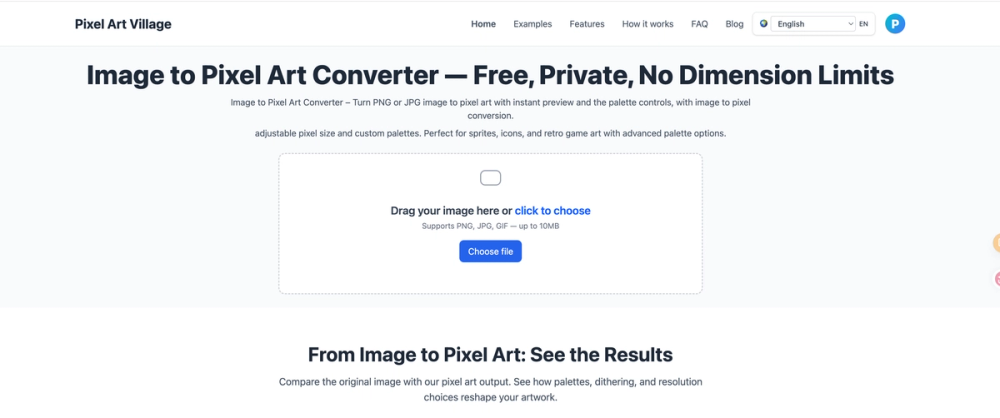
Pixel Art Village is a comprehensive, free online tool designed for converting various image formats into pixel art. It offers a user-friendly interface for artists, game developers, and enthusiasts to transform photos, PNGs, JPGs, GIFs, WEBPs, and BMPs into pixelated visuals with advanced control and privacy.
Key Features:
- 100% Free & Unlimited: The service is entirely free, with no hidden costs or subscriptions, allowing for unlimited image conversions and high-resolution downloads.
- Privacy-First (Client-Side Processing): All image processing occurs directly within your browser. Your images never leave your device, ensuring a secure and private workflow.
- Intuitive & Easy to Use: Designed for all skill levels, the platform provides an intuitive interface and fast feedback, enabling users to create pixel visuals in just a few clicks.
- No Dimension Limits: Users can upload images of any size, from small icons to large graphics, with smooth scaling and responsive previews.
- Custom Palette Control: Offers the ability to swap between curated palettes or build custom swatches to match specific retro styles or brand aesthetics.
- Live Adjustments: Provides real-time controls to fine-tune pixel size, brightness, contrast, saturation, and dithering, with instant visual feedback.
- Pixel Grid Control: Includes a "Show grid" option in the live editor, which helps in precise adjustments and understanding the pixelation effect.
- Sprite Creation: Ideal for generating game-ready sprites with simplified shapes and tight color limits, supporting transparent PNG export.
- Commercial Use: Users retain full rights to their original uploads and generated artwork, allowing for commercial use without restrictions.
How It Works: The process is streamlined into three simple steps:
- Upload: Drag or choose your image (PNG, JPG) into the image processor for image conversion.
- Adjust: Utilize live controls to fine-tune pixel size, select custom palettes, and manage the pixel grid.
- Download: Export your newly created pixel art with a single click.
Dedicated Tools & Use Cases: Pixel Art Village provides specialized converters for various needs:
- Image to Pixel Art Converter: General conversion for PNG, JPG, GIF, WEBP, and BMP files.
- Photo to Pixel Art: Optimized for transforming photographs into readable retro pixel art with cleaner edges.
- Photo to Sprite Converter: Specifically for creating smaller, game-ready sprites.
- PNG to Pixel Art: Best for transparent and crisp source artwork.
- JPG to Pixel Art: Tailored for compressed JPG uploads, profile photos, and camera images.
- GIF to Pixel Art: A dedicated workflow for GIF source files.