可以,按截图里的占位结构写成 Markdown,更像可直接填进 Introduction 的内容:
## Overview

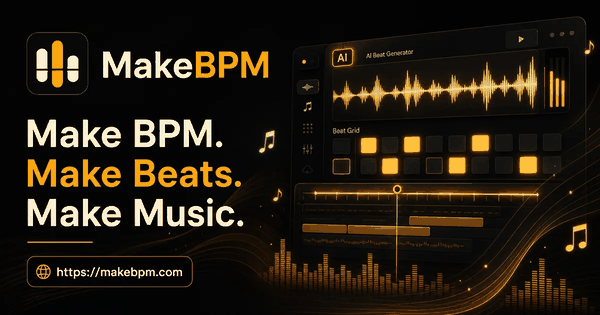
MakeBPM is an AI music studio for creators, music lovers, and content teams who need usable music faster. It helps users turn text prompts, lyrics, moods, genres, scenes, and project ideas into songs, beats, background music, and soundtracks.

Unlike a simple one-time song generator, MakeBPM is built around a broader music workflow. Users can generate music, turn lyrics into songs, detect BPM, remove vocals, split stems, extend tracks, remix ideas, control tempo, edit audio, and export music for real creative projects.

## Key Features

- Generate songs, beats, background music, and soundtracks from text prompts
- Turn lyrics, poems, hooks, or song ideas into complete music
- Detect BPM and use tempo information for editing, looping, remixing, or video timing
- Remove vocals and create instrumental or karaoke-ready versions
- Split audio into stems for remixing, editing, or reuse
- Extend short tracks, intros, outros, loops, and unfinished demos
- Create music for videos, podcasts, games, ads, courses, livestreams, and social content
- Use creator-friendly controls for mood, genre, scene, lyrics, tempo, and project direction
- Preview results, compare ideas, and continue refining music inside one workflow

## Use Cases

- YouTube, TikTok, Reels, and short-form video creators can generate background music that fits a specific scene, mood, or edit length.
- Podcasters can create intro music, outro music, transition beds, and episode background tracks.
- Game creators can make loops, ambience, menu music, level music, and soundtrack ideas.
- Independent artists and lyric writers can turn lyrics or song concepts into early demos.
- Beat makers and music hobbyists can explore new styles, moods, hooks, and arrangement ideas.
- Marketers and small businesses can create music for ads, product videos, brand clips, and social campaigns.
- Educators and course creators can make background music for lessons, tutorials, and presentations.

## Getting Started

Start with a simple idea, lyric, mood, genre, or project scene. For example, describe “an upbeat electronic track for a travel video,” “a warm acoustic intro for a podcast,” or “a cinematic background track for a product launch.”

MakeBPM can generate a first music result from that direction. After that, users can keep working with the track by checking BPM, extending the music, removing vocals, splitting stems, remixing sections, or exporting the result for their content workflow.

## Pricing & Plans

MakeBPM offers free credits so new users can try AI music generation before choosing a paid plan. Paid plans are designed for creators who need more generations, more exports, and a faster music production workflow for ongoing content projects.