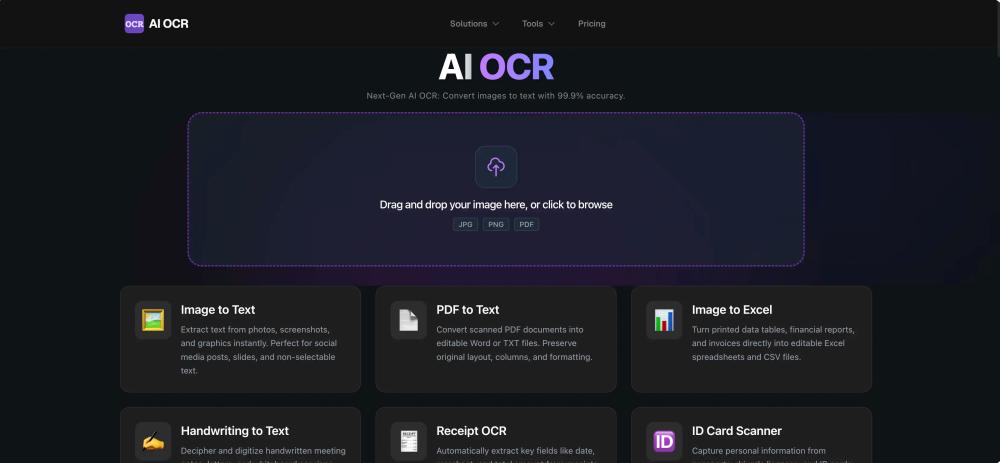
AI OCR is a next-generation, free online document scanner that leverages advanced AI to convert images and PDFs to text with up to 99.9% accuracy. It stands out from traditional OCR by mimicking human reading capabilities through complex neural networks, offering superior performance, especially with challenging content like handwriting.
How it Works: The process begins with Smart Image Pre-processing, where uploaded images undergo noise reduction, binarization, and deskewing to optimize them for recognition, even if they are low-quality or blurry. Next, Layout Analysis & Segmentation intelligently dissects the document structure, distinguishing between columns, headers, footers, images, and tables, and segmenting text while preserving original reading order. Finally, Deep Learning Recognition employs proprietary models like CNNs and LSTMs, combined with context-aware Natural Language Processing (NLP), to recognize characters and words. This system is trained on millions of document samples, allowing it to adapt to diverse document types and complex fonts, including handwriting. A post-processing engine further refines results using linguistic dictionaries and grammar models, ensuring high accuracy and speed.
Key Features:
- High-Fidelity Accuracy: Achieves up to 99.9% recognition accuracy on standard documents and excels with handwritten text.
- Massive Language Support: Supports over 100 languages, including complex scripts, and can process multi-language documents simultaneously.
- Format Retention: Reconstructs the original layout, including paragraphs, lists, bold/italic styles, and tables, saving significant reformatting time.
- Enterprise Security: Ensures data privacy with SSL encryption, secure sandbox processing, and permanent deletion of files from servers within 60 minutes.
Use Cases: AI OCR is a versatile tool applicable across numerous industries:
- Students and Researchers: Digitize textbook pages, reference materials, and library archives; convert citations and quotes.
- Business Professionals: Streamline data entry for invoices, purchase orders, and business cards into CRM/ERP systems; automate expense reporting with receipt scanning.
- Legal and Healthcare: Digitize case files, patient records, and contracts, making scanned PDFs instantly searchable.
- Developers: Integrate OCR capabilities into applications, extract code snippets from tutorials, capture error messages from screenshots, or build custom document processing pipelines.