Overview
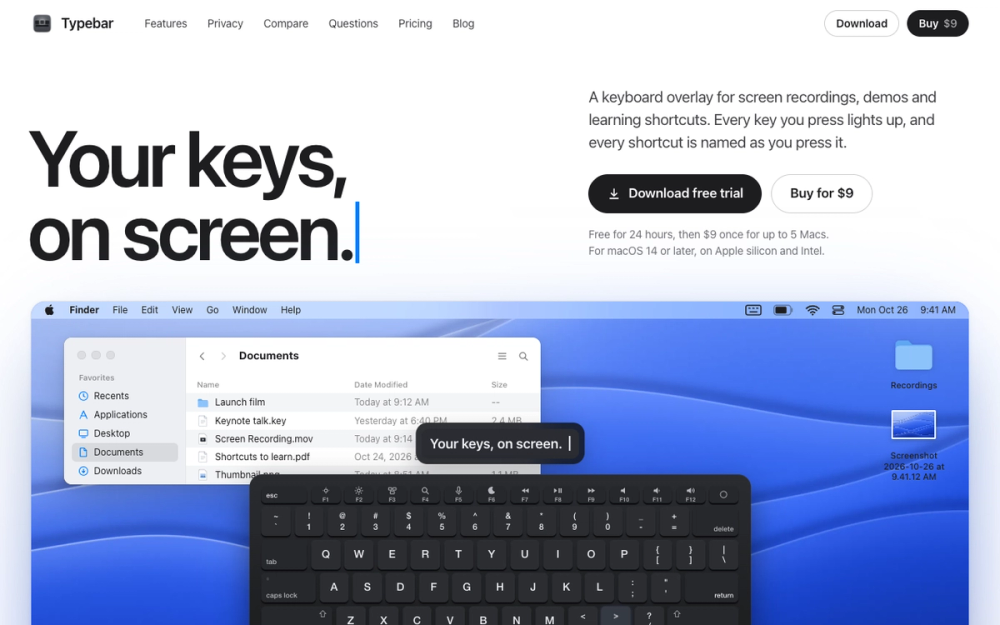
Typebar is a keyboard overlay for the Mac, made for screen recordings, demos and learning shortcuts. Every key you press lights up on an on-screen keyboard, and a pill names each shortcut from the app's own menus, like Screenshot Selection for Shift Command 4.
Key features
- Every key you press lights up on an on-screen keyboard.
- A pill names each shortcut, taken from the menus of the app you are using.
- Hold a modifier and the keys show what they do in the app in front.
- Cheatsheets for every app, 20 hand-made packs and your own keybindings from 11 apps.
- Click ripples, a cursor halo and Spotlight.
- Six switch sounds, 40 themes and a theme editor.
- Typebar can show itself when a recording starts and hide when it stops.
Privacy
Password fields stay private, and nothing you type is saved or sent anywhere.
Use cases
- Screen recordings and tutorials where viewers need to see which keys you press.
- Live demos and presentations.
- Learning the keyboard shortcuts of the apps you use every day.
Pricing and requirements
Free for 24 hours, then $9 once for up to 5 Macs. Typebar needs macOS 14 or later and runs on Apple silicon and Intel Macs.