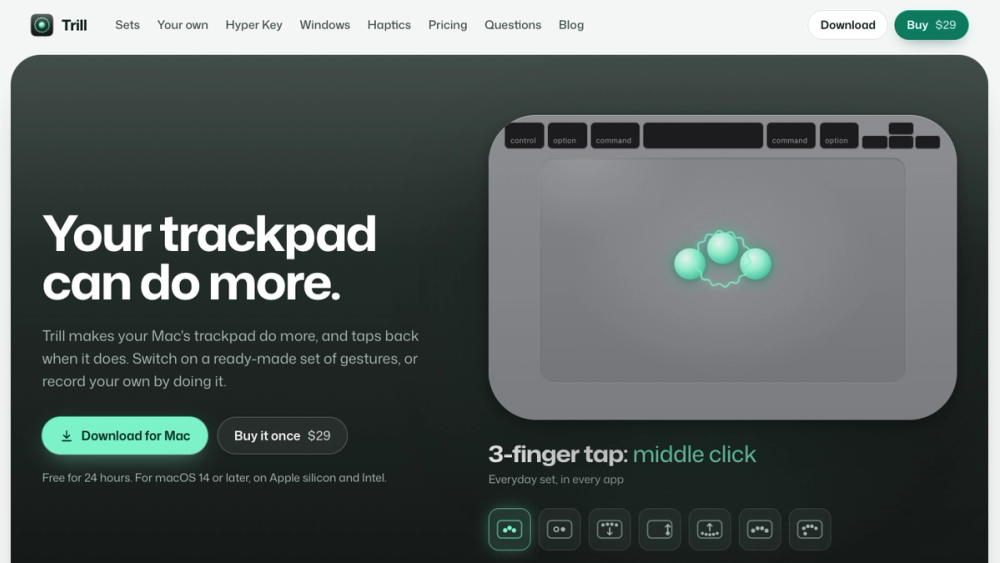
Your Mac trackpad can do more.
Trackpad gestures you record by doing them, a built-in Hyper Key, window snapping and a haptic tick for every gesture. $29 once.
About Trill
Trill makes your Mac's trackpad do more, and taps back when it does.
Record a gesture by simply doing it, or start from ready-made gesture sets. Caps Lock becomes a Hyper Key that adds Control, Option, Shift and Command; a tap alone sends Escape, and holding it shows a cheat sheet of shortcuts for the app in front. Drag-to-snap window management is built in, and on Force Touch trackpads every gesture gets a haptic tick.
$29 once, with a 24-hour free trial that starts when you allow Accessibility. One license covers three Macs.
Highlights
- Gesture Sets for everyday use, browsers, windows, media, writing and developer apps, suggested from the apps already on your Mac.
- Tap with three, four or five fingers, TipTap, swipe, swipe in from an edge, click in a corner of a Force Touch trackpad, or slide along an edge.
- More than a hundred actions: press a keyboard shortcut, type text, open an app, file or link, run an Apple Shortcut or a script, control music, volume and brightness, switch tabs or move a window.
- If one of your gestures is one macOS already uses, Trill keeps yours off and offers the fix in one click. Put back restores every macOS setting it changed.
- macOS 14 Sonoma or later, a built-in trackpad or Magic Trackpad, Apple silicon and Intel.
Details
- Price: $29 one-time, free 24-hour trial
- Platform: macOS
- Website: https://trill.everydaymactools.com/
- Made by: Everyday Mac Tools