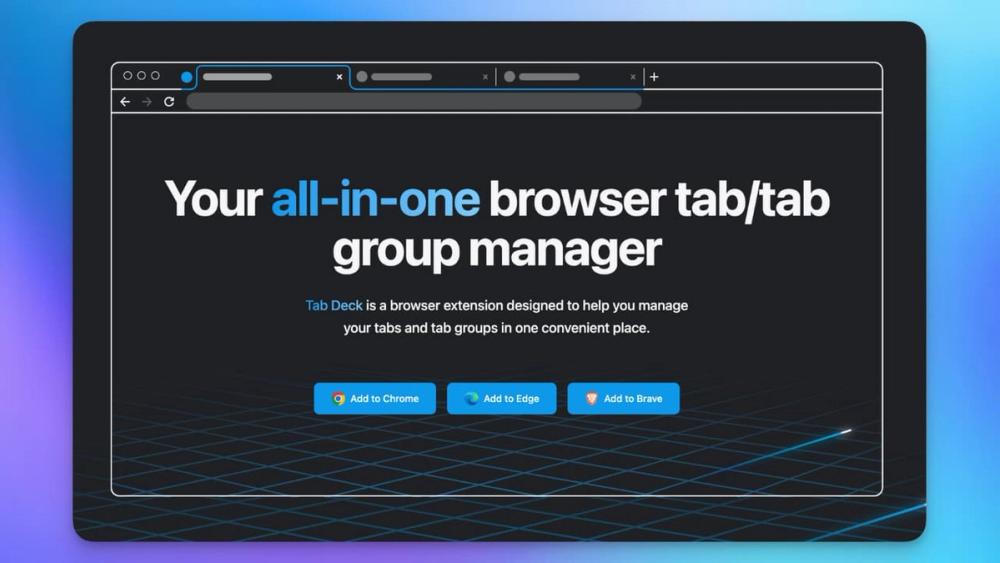
Tab Deck is an all-in-one browser extension designed to revolutionize tab and tab group management for Chrome, Edge, and Brave users. It aims to boost productivity and efficiency by providing a seamless way to organize, group, and manage browser tabs, effectively combating tab clutter.
Key Features & Functionality:
- Open Tabs Panel: Mirrors all open browser tabs in a convenient left-hand panel for easy access and navigation.
- Bookmark Card: Transforms individual tabs into visually appealing bookmarks, making saved content more accessible and organized.
- Window Management: Allows users to save all open tabs in a window as a session with a single click, enabling easy restoration and organization of browsing contexts.
- Comprehensive Tab Management: Offers robust tools to save and open tabs with a single click, reorder tabs, and group them as needed. This eliminates tab overload and streamlines the browsing experience.
- Cloud Sync: Ensures data persistence by allowing users to log in and enable auto-sync, preventing data loss across devices. This feature encrypts data with AES-256 during transfer for security.
- Notion Integration: Supports syncing tabs and tab groups directly to a Notion database, facilitating advanced organization, processing, and management of saved content within a familiar workspace.
- Raycast Integration: For Mac users, Tab Deck integrates with Raycast, enabling quick search and access to saved sessions, tab groups, and individual tabs from anywhere on the desktop.
- Command + K Panel: Provides an instant search interface for quickly finding both open and saved tabs, enhancing navigation speed.
- Restore Capabilities: Offers multiple ways to restore tabs, including drag-and-drop, clicking the extension icon, and restoring entire sessions or tab groups into new windows.
- Tab Group Management: Core functionality includes creating new tab groups within sessions, restoring tabs with their original groups, and easily ungrouping tabs or moving them out of groups.
- Productivity Enhancers: Features like fuzzy search for saved tabs, tab suspension to reduce memory usage, and de-duplication of tabs keep the browsing environment clean and efficient.
- User Experience: Includes a built-in Dark Mode and supports internationalization (English/Chinese). Keyboard shortcuts are also available within the Command K interface for enhanced usability.
- Sharing: Users can share any saved session with others via a web link after signing in.
Use Cases:
Tab Deck is ideal for professionals, researchers, students, and anyone who frequently works with numerous browser tabs and struggles with digital clutter. It's perfect for:
- Project Management: Saving and organizing tabs related to specific projects into distinct sessions or groups.
- Research: Keeping research materials, articles, and reference tabs neatly categorized and easily retrievable.
- Daily Workflow: Streamlining daily browsing by quickly accessing frequently used tab sets or suspending inactive ones to free up system resources.
- Collaboration: Sharing curated sets of tabs with colleagues or friends for shared projects or interests.
Tab Deck operates on a "build in public" principle, actively incorporating community feedback and suggestions. While it offers a 7-day free trial and a money-back guarantee, cloud sync is a paid feature. It is available for Chrome, Microsoft Edge, and Brave, but not Firefox due to current limitations in Firefox's tab group API.