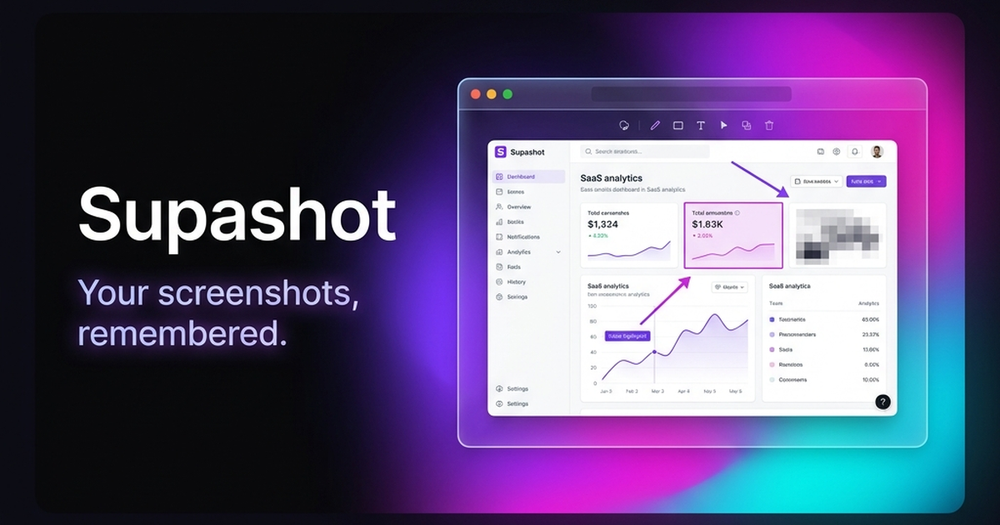
Supashot is a powerful, yet minimal, screenshot tool designed to help users capture, annotate, and organize web screenshots effortlessly. It emphasizes a local-first, private-by-default approach, ensuring all your visual data remains secure on your device without any cloud uploads or tracking. This tool is ideal for web power users, developers, designers, and anyone who frequently captures information from the web and needs to recall it quickly.
The core offering is the Supashot Chrome Extension, which is live and available now. With this extension, you can instantly capture any webpage – whether it's a full page, visible area, or a custom region – using a single hotkey. Once captured, the built-in lightweight editor allows for clean annotations, including arrows, rectangles, text, and pixel blurs, to highlight key information without the bloat of complex design tools. Screenshots are automatically copied to your clipboard for quick sharing to platforms like Slack, Notion, or GitHub pull requests, and can also be downloaded locally. A unique feature is its local, Dexie-powered library within your browser, which automatically categorizes screenshots by domain, making organization intuitive.
A significant advantage of Supashot is its OCR-powered search capability. This allows you to search every screenshot you've ever taken by the text contained within it. Imagine typing "analytics dashboard" and instantly finding that specific screenshot you took weeks ago. This transforms your collection of screenshots into a searchable visual memory system, eliminating the frustration of lost information. The entire workflow is designed to be keyboard-first, meaning most actions – capture, edit, copy, search – can be performed with shortcuts, boosting productivity.
Supashot is also actively developing a native macOS app, which promises an even more comprehensive experience. This upcoming application will extend capture capabilities to your entire screen, specific windows, or custom regions with a hotkey. It will feature a built-in editor, local OCR search across all screenshots (not just web-based ones), a keyboard-first workflow, and a timeline and favorites library for enhanced organization.
The pricing model is user-friendly and transparent: Supashot offers a free-forever tier for its core experience, with plans for one-time payment options for advanced features, explicitly stating "absolutely no forced recurring subscriptions." This commitment to privacy, local data storage, and a non-subscription model makes Supashot a compelling choice for anyone seeking an efficient and secure screenshot management solution.