Screen Issues is a free online resource for identifying, understanding, and troubleshooting display defects on monitors, laptops, phones, and tablets. It is a free online screen test tool and a set of troubleshooting guides. No downloads are required. The site launched on 2026-04-21 and the product is free.
Overview
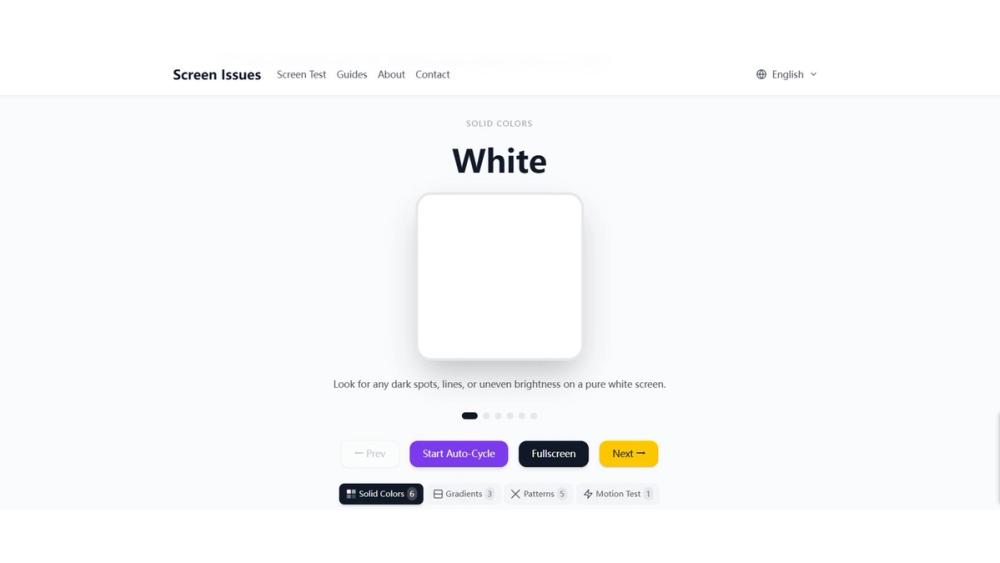
Screen Issues helps people check a display in the browser. The interactive Screen Test tool runs full-screen solid colors so you can look over the panel yourself. It is meant for monitors, laptops, phones, and tablets. You open the tool on the website, go full screen, and step through the colors. Nothing is installed.
Screen Test tool
The Screen Test tool runs these full-screen solid colors in the browser:
- White
- Black
- Red
- Green
- Blue
- Gray
There is no download. The tests are there so you can spot display defects in seconds. The defects the tool is meant to help you see are:
- Dead pixels
- Stuck pixels
- Bright spots
- Black spots
- Backlight bleed
- Color uniformity issues
Multiple test modes are available. The short description of the product is: Free Online Screen Test Tool. Instantly diagnose dead pixels, lines, color issues, and flickering. The tagline is: Free online screen tests and troubleshooting guides. No downloads required.
Troubleshooting guides
Alongside the tool, expert guides cover:
- Dead pixels
- Screen lines
- Flickering
- Pressure marks
- Color and tint problems
- Device-specific cases for Mac, laptop, and mobile
The guides are for identifying, understanding, and troubleshooting those display defects. They sit next to the interactive test so you can read what a defect looks like and then use the full-screen colors to check your own screen.
Languages
Content is available in English, German, Spanish, and Portuguese.
Pricing
Pricing is free. There is no paid plan described for the Screen Issues tool itself. Launch date: 2026-04-21.
Who it is for
Use Screen Issues when you want a quick browser check of a monitor, laptop, phone, or tablet. Solid white, black, red, green, blue, and gray screens make dead pixels, stuck pixels, bright spots, black spots, backlight bleed, and uneven color easier to see. If you are looking at lines, flickering, pressure marks, or a color or tint problem, the guides cover those topics, including Mac, laptop, and mobile cases.
Founder and contact
Screen Issues was founded by Feng Zeng, Founder and Technical Director, in Guangzhou, Guangdong, China. Website: https://www.screenissues.com. Email: [email protected].
How to use the test
- Open https://www.screenissues.com in the browser on the device whose screen you want to check.
- Start the Screen Test tool. It runs in the browser and does not ask for a download.
- Use the full-screen solid colors: white, black, red, green, blue, and gray.
- Look for dead pixels, stuck pixels, bright spots, black spots, backlight bleed, and color uniformity issues.
- Read the guides on dead pixels, screen lines, flickering, pressure marks, color and tint problems, and device-specific cases for Mac, laptop, and mobile.
- Switch language if you prefer English, German, Spanish, or Portuguese.
That is the whole product: a free, no-download screen test plus written troubleshooting guides. Categories that fit it most closely are online tools, productivity, and diagnostic software.