
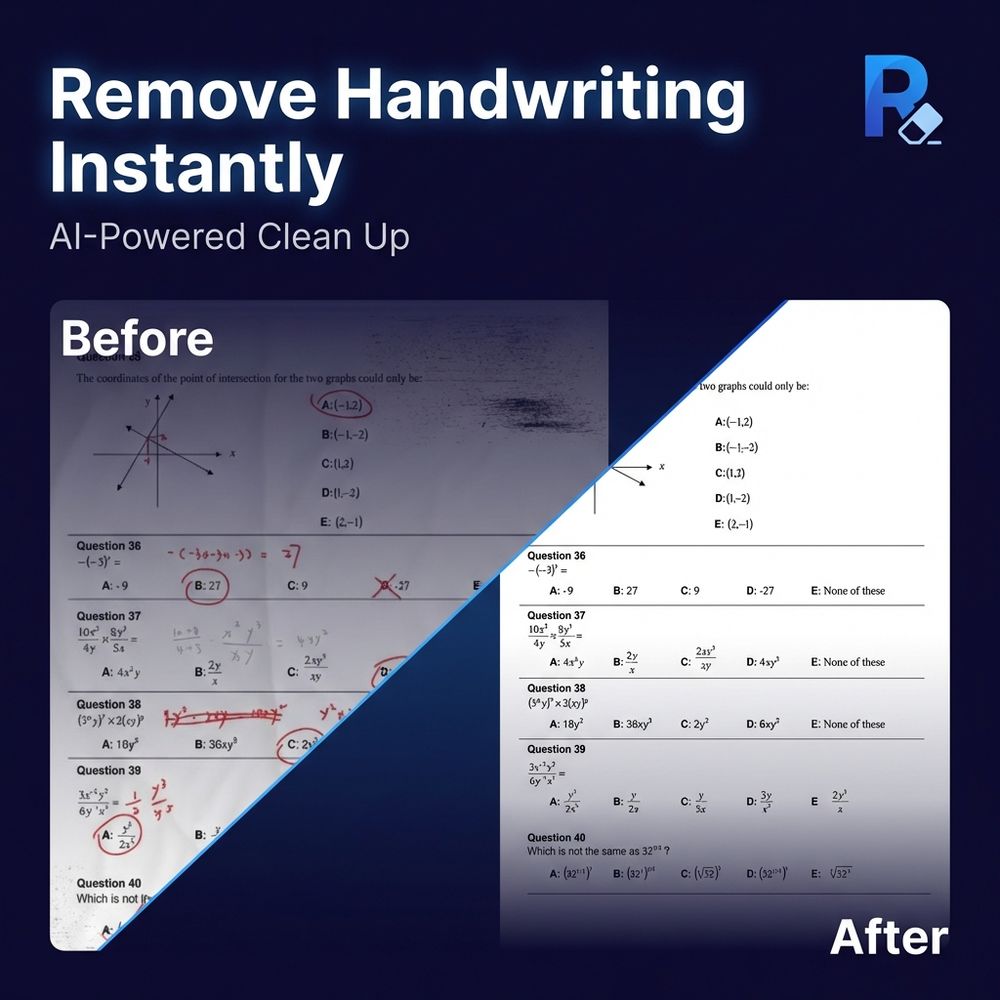
Remove Handwriting is an advanced AI-powered tool designed to effortlessly erase handwritten notes, annotations, and marks from various document formats, including images (JPG, PNG, JPEG) and PDFs. This versatile service is available as a web application and dedicated mobile apps for iOS and Android, making it accessible for a wide range of users.
The core functionality revolves around its intelligent AI, which can accurately distinguish between handwritten content and printed text, tables, or diagrams. This ensures that while all unwanted scribbles, notes, and annotations are removed, the original document's integrity and printed information remain perfectly preserved. This capability is crucial for tasks requiring clean, professional-looking documents.
Beyond simple handwriting removal, the platform offers comprehensive document restoration features. It automatically detects document boundaries, corrects geometric distortions like skew and rotation, and flattens curled or wrinkled edges. The AI also excels at eliminating common image imperfections such as cluttered backgrounds, shadows, stains, and even complex issues like finger obstructions, bleed-through from the back of a page, and moiré patterns. This results in a pristine, balanced canvas, ready for reuse, archiving, or sharing.
Key features include:
- AI-Powered Handwriting Removal: Erase handwritten notes, marks, and annotations from images and PDFs in seconds, preserving printed content.
- Complete Document Restoration: Automatically fix distortions, remove shadows, eliminate stains, and auto-trim edges for a clean, professional output.
- Advanced Image Processing: Handles complex issues like curling, wrinkles, finger obstructions, bleed-through, and moiré patterns.
- Multi-Platform Accessibility: Available on web, iOS, and Android, with subscriptions and credits working across all platforms.
- Support for Various Formats: Processes JPG, PNG, JPEG images, and PDF documents, including dedicated PDF processing with page selection and layout preservation.
- Fast and Accurate Processing: Achieves over 95% accuracy in most standard scenarios, with typical processing times of 5-10 seconds per image.
- Privacy-Focused: Uploaded images are automatically deleted after processing, not stored long-term, and not used for AI model training.
- Bulk Processing & API Access: Offers solutions for high-volume workflows for teams and businesses.
Remove Handwriting caters to a diverse user base:
- Students: Ideal for cleaning up practice papers, worksheets, and lecture notes for repeated study or sharing.
- Teachers: Enables quick creation of clean copies of test papers and worksheets, saving hours of manual preparation.
- Businesses and Document Managers: Streamlines document cleanup, processing contracts, archives, and scanned paperwork by removing handwritten approvals or notes.
- Archivists: Essential for digitizing and restoring historical documents, forms, and legacy paperwork, producing clean archival copies.
- Parents: Helps in preparing clean practice sheets for children's homework and exam preparation without previous answers.
The service offers a free trial with 3 credits upon signup, and users can earn additional free credits through a referral program or by watching ads on the mobile app. Paid subscription plans are available for unlimited processing, offering flexibility for individual and business needs. The platform emphasizes user satisfaction, offering a 3-day money-back guarantee for paid subscriptions and dedicated support.