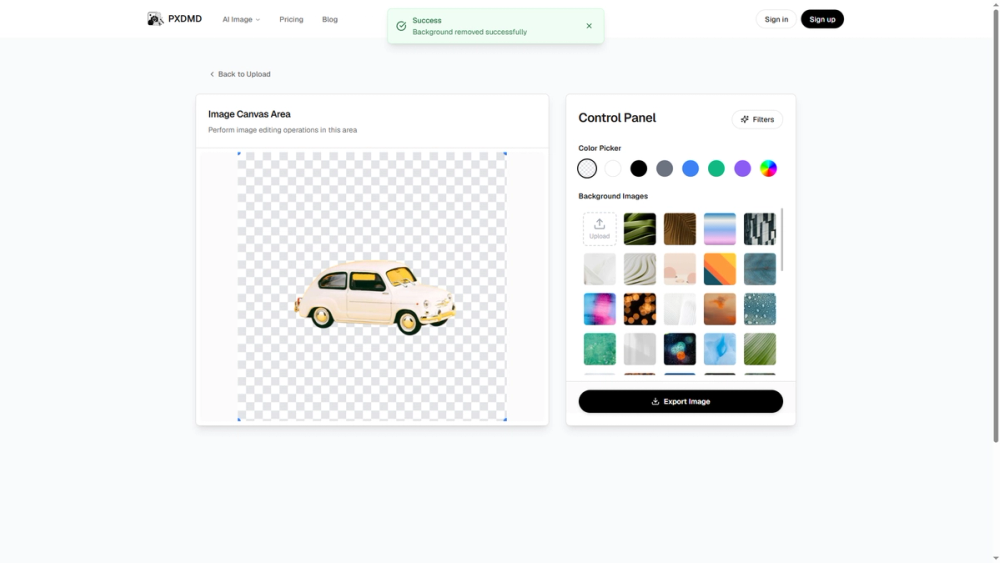
PXDMD handles the image cleanup jobs that otherwise need Photoshop or a monthly subscription - in the browser, one image at a time.
Overview
Six focused tools cover the most common photo fixes: cut out a subject, replace the background, erase an unwanted object or watermark, clean up a scanned document, or grade the color. No install, no plugins, no design skills.
Key Features
- AI Background Remover: automatic subject detection with edge refinement down to individual hair strands, exported as a true alpha-channel PNG.
- AI Background Changer: solid colors, gradients, custom uploads or AI-generated scenes, matched to the subject's shadows and color temperature.
- AI Magic Eraser: brush over objects, people, watermarks or logos and the model rebuilds the texture and lighting behind them.
- Watermark, Logo and Paper Crease Removers for supplier photos and scanned paperwork.
- Free Image Tinter (8 blend modes) and Gradient Map Effect (5-stop Oklab palettes), processed entirely on your device.
Use Cases
E-commerce product listings, marketplace images, social media graphics, real estate photos, scanned document cleanup and portrait retouching.
Getting Started
Upload a JPG, PNG or WebP up to 10 MB, pick a tool, download the result. Every visitor starts with 3 free credits - no account, no card, no API key. Images are processed in memory and deleted immediately after processing.
Pricing & Plans
Pay-as-you-go: one-time credit packs start at $9, credits never expire, nothing auto-renews. Background removal costs 1 credit, background change 2, object removal 1.