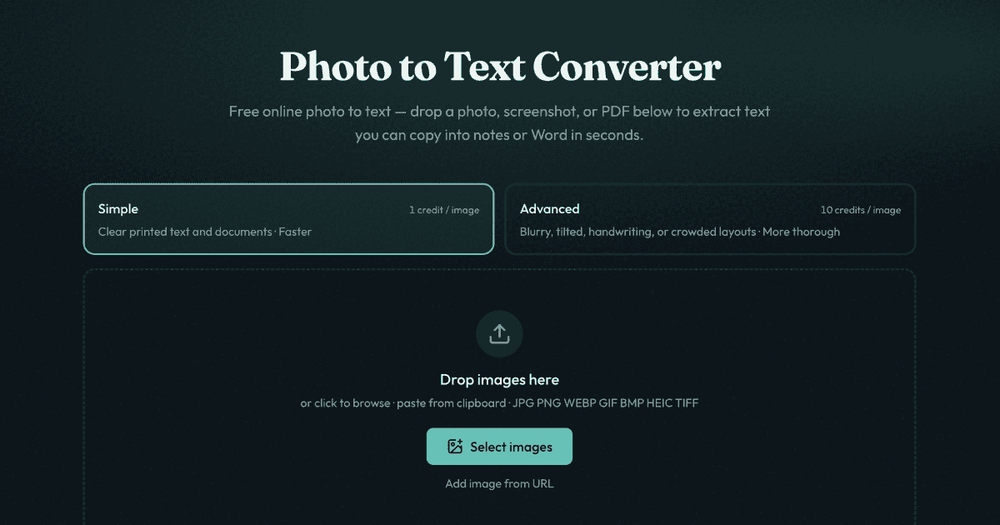
Photo to Text is a free online converter that leverages Optical Character Recognition (OCR) technology to effortlessly extract text from various image and document formats. Users can upload photos, screenshots, and PDF files to quickly convert them into editable text. This tool is designed to save time by eliminating the need for manual retyping, making it ideal for digitizing information from everyday documents, phone photos, and digital captures.
The platform offers two distinct OCR modes to cater to different needs:
- Simple Mode: This mode is optimized for clear printed text and well-defined documents, providing fast and efficient text extraction at a lower credit cost. It's perfect for straightforward conversions where the source material is easy to read.
- Advanced Mode: For more challenging scenarios, the Advanced mode offers higher accuracy. It is specifically designed to handle blurry photos, tilted pages, handwritten text, crowded layouts, and complex tables. This mode is particularly useful when precise formatting and structure are crucial, such as converting tables into editable Excel spreadsheets.
Key features and use cases include:
- Extract Text from Images: Convert JPG, PNG, WEBP, GIF, BMP, HEIC, and TIFF images into editable text.
- PDF to Text Conversion: Transform scanned PDFs and document PDFs into searchable and reusable text.
- Direct Copy or Download: Users can instantly copy the extracted text into notes, email, or word processors like Microsoft Word and Google Docs.
- Dedicated Converters: Beyond simple text extraction, Photo to Text offers specialized tools for converting:
- JPG to Word: Convert image-based documents, scans, and screenshots into editable .docx files, with options to insert images, extract plain text, or maintain Markdown styles.
- JPG to Excel: Efficiently convert receipts, screenshot tables, and paper sheets into structured Excel spreadsheets (XLSX, CSV, TSV), allowing for easy editing of rows and columns. This is invaluable for financial tracking and data entry.
- Receipt to Excel / Invoice to Excel: Specialized tools for extracting financial data from receipts and invoices directly into spreadsheets.
- Screenshot to Text: Quickly grab text from unselectable screenshots.
- Handwriting to Text: Utilize Advanced OCR for converting handwritten notes into digital text.
- OCR Model Exploration: The platform also provides access to advanced OCR models like DeepSeek OCR and GLM OCR for layout-aware document conversion, which can be particularly beneficial when the original document's structure and formatting are critical.
The service emphasizes user privacy, stating that no data is transmitted or stored for guest conversions, and results are automatically cleared after a period for logged-in users who don't save them. It's a versatile tool for anyone needing to quickly and accurately digitize text from visual sources, whether for personal notes, academic work, or business data entry.