Overview
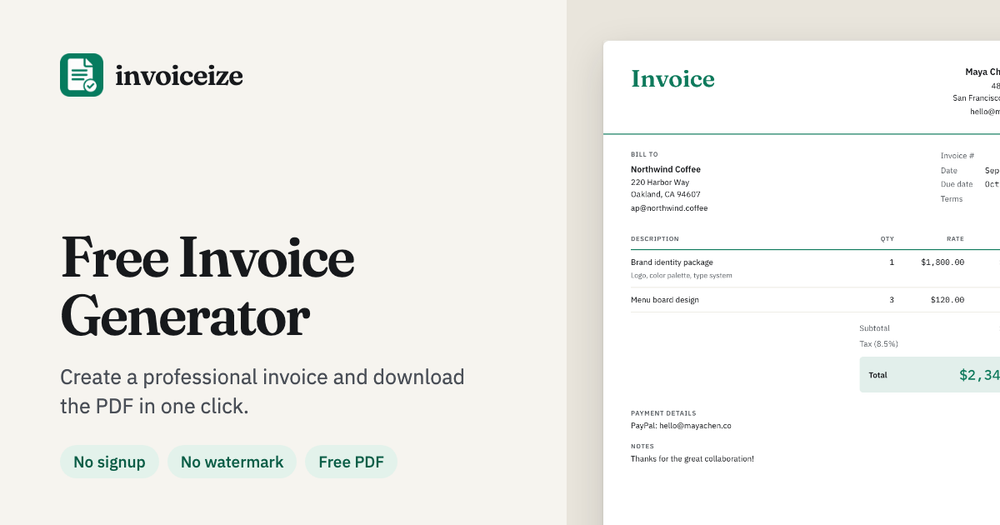
Invoiceize is a free invoice generator designed to help freelancers and small businesses prepare clear business documents online. It brings invoice editing and a live document preview together, so you can see what the final result will look like while you enter your details.
Create an invoice
Start with your business and client information. Add the services or products you are billing for as line items, then adjust the quantities and prices to reflect the work. You can include taxes and discounts as appropriate for the transaction. Add your logo to make the document recognizable to your client.
The live preview updates as you edit, making it easier to review the document before sharing it. Once the invoice is ready, export a PDF that can be sent to the client or saved with your business records.
Receipts and quotes
Invoiceize also supports receipts and quotes. A quote can help you present the proposed work and price before a project begins, while a receipt can document a completed payment. Having these document types in the same browser-based tool helps keep the workflow consistent.
Who it is for
Freelancers, consultants and small business owners can use Invoiceize to create professional documents without navigating a complex accounting application. It is useful when you need to prepare an invoice for a client, review the details, and provide a PDF.
Getting started
Open Invoiceize in your browser, choose the document you need, and enter the relevant details. Check the live preview for accuracy before exporting your document. Review client information, line items, totals, taxes and discounts to make sure they match the agreement for the work.
Invoiceize combines a straightforward editor with a preview and PDF export. It focuses on the practical task of preparing invoices, receipts and quotes so you can spend less time formatting and more time on your work.