GoFully is a comprehensive, 100% free, and offline Chrome extension designed to streamline every aspect of screenshot capture, editing, and sharing. It consolidates multiple tools into one powerful solution, eliminating the need for separate extensions for different screenshot tasks.
Key Features:
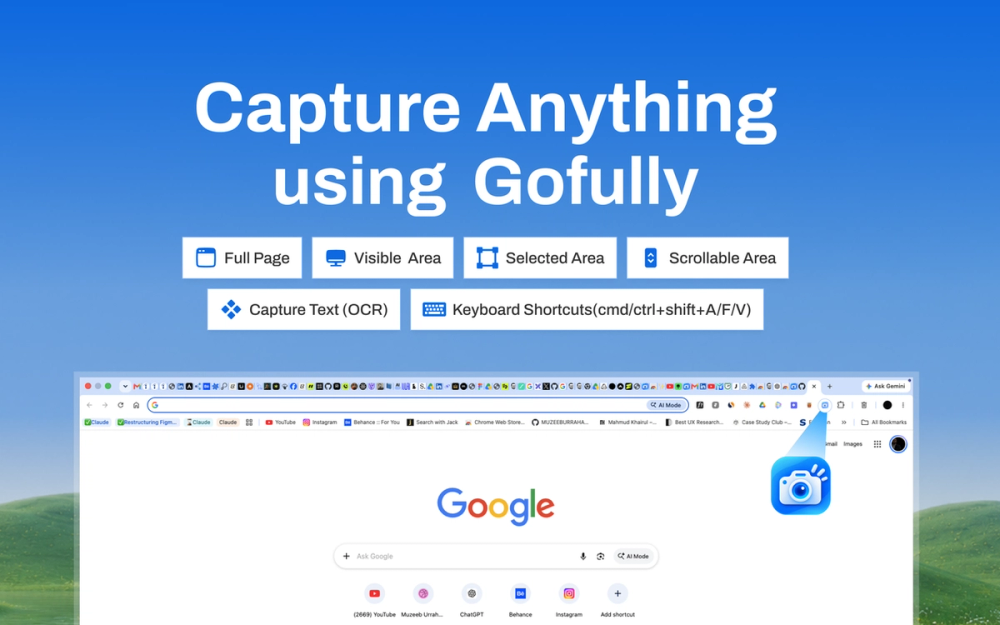
- Advanced Capture Engine: GoFully excels at capturing full-page scrolling websites, dashboards, and infinite feeds with pixel-perfect accuracy. Unlike standard browser tools, it intelligently waits for lazy-loaded content and automatically handles sticky headers, ensuring a clean, complete image without overlaps or missing elements. Users can choose to capture the full page, visible area, a custom region, or a specific scrolling area.
- Local OCR (Optical Character Recognition): A standout feature is its on-device text extraction capability. GoFully utilizes a local WebAssembly model to extract readable text, code snippets, and structured tables from any part of a screenshot in milliseconds. This ensures complete privacy, as sensitive information like contracts, passwords, or internal dashboard data never leaves your machine for processing, a significant advantage over cloud-based OCR solutions.
- Intuitive Visual Editor: The built-in editor provides robust annotation and redaction tools. Users can easily mark up screenshots with arrows, callouts, and various shapes to highlight important details. Crucially, it offers instant blur or pixelation for sensitive data such as API keys, passwords, or Personally Identifiable Information (PII), a feature often locked behind paid plans in competitor tools.
- Screenshot Beautifier & Mockups: Transform raw captures into polished, presentation-ready assets. GoFully allows customization of vibrant backgrounds, addition of window frames, adjustment of padding and rounded corners, and application of soft drop shadows. This feature provides professional-grade mockups, similar to those offered by premium tools like CleanShot, but entirely free.
- Flexible Export Options: After capturing and editing, GoFully provides instant export capabilities directly from the result bar. Options include copying to the clipboard, saving as a crisp PNG or WebP image, or generating a paginated PDF.
- Capture History: The extension maintains a rolling history of recent screenshots within its popup, complete with thumbnails, site information, and timestamps. This allows for quick reopening, re-editing, or re-exporting of past captures with a single click. All history is stored locally in the browser, ensuring privacy, and can be cleared instantly.
Use Cases:
GoFully is built for diverse professional and personal workflows:
- Developers & QA: Efficiently document bugs by capturing full-page issues, annotating specific problems, and exporting clean PDFs for bug tracking systems, avoiding the hassle of stitching multiple screenshots.
- Writers & Researchers: Quickly extract text from inaccessible sources like paywalled articles, scanned PDF pages, or non-selectable charts, pasting it directly into notes or documents.
- Privacy & Compliance Teams: Ensure data security by locally redacting sensitive information (e.g., account numbers, names, internal URLs) before sharing screenshots in shared documents or support tickets, guaranteeing that unredacted data never touches external servers.
- Content Creators & Public Sharers: Enhance visual content by running raw captures through the Beautifier feature, creating professional-looking images for social media, blog posts, or presentations, far superior to bare browser window screenshots.
GoFully stands out by offering a comprehensive suite of features—including advanced capture, local OCR, visual editing with privacy redaction, and beautification—all within a free, offline, and privacy-focused Chrome extension, surpassing the capabilities of many paid alternatives and Chrome's native screenshot tools.