Overview
Product photos show clothes on a model. fit. shows them on you.
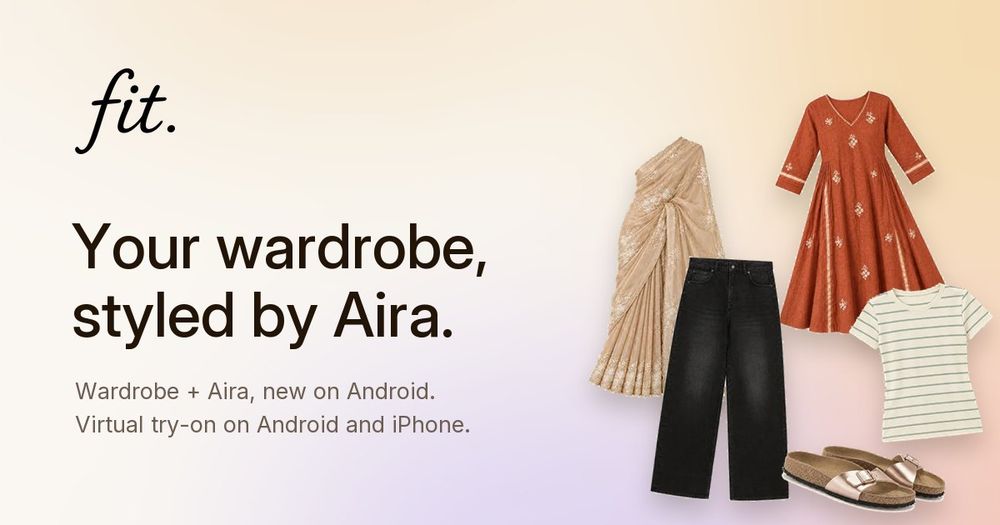
fit. is a free AI virtual try-on and styling app for Android and iPhone, made in India. You add one good photo of yourself once. From then on, whenever you find something online, you share the product link, upload a screenshot, or snap a photo of the garment, and fit. generates an AI preview of that outfit on your own photo. The question "will this suit me?" gets an answer before you pay for shipping and returns.
Every try-on comes with a short note from Aira, the AI stylist built into the app. She scores the look out of ten, says what works, and tells you when to skip. She talks about the outfit, never about your body.
How it works
- Add one photo of yourself. A clear, front-facing photo in plain clothes works best.
-
- Find something you like online. fit. accepts product links from Myntra, AJIO or any other store, a screenshot of a product page, or a photo of a garment.
-
- Share it to fit. The app generates a preview of that outfit on your photo.
-
- Read Aira's note. Each look gets a score out of ten and a two-line explanation of what works and what doesn't.
-
- Save, compare and share. Keep the looks you like, compare them side by side, and share them on WhatsApp to get a second opinion from friends.
Key features
- Virtual try-on on your own photo. Previews are generated on your photo, not on a model, from any product link, screenshot or garment photo.
-
- Works with the stores you already use. Paste a Myntra or AJIO link and fit. picks up the product, or use a screenshot from any store.
-
- Aira, the AI stylist. Every look is scored out of ten with a short, honest note. Aira comments on the outfit, never on your body.
-
- Digital wardrobe (Android). Show fit. photos of yourself in your own clothes. It separates each piece into a cutout, names it, and builds your wardrobe. The original photo is deleted after processing.
-
- Outfit suggestions from what you own (Android). Ask Aira "what should I wear to work?" or "build me a Diwali outfit" and she answers with outfit cards made from clothes you already own, says when something is missing, and can put the look on your photo.
-
- Save, compare and share. Keep every try-on, compare options, and share looks on WhatsApp.
Use cases
- Shopping online. Check how a kurta, dress, shirt or jeans looks on you before you order, so fewer things come back in the returns bag.
-
- Deciding what to wear. Open your wardrobe in fit. and ask Aira for an outfit for work, a weekend, or an occasion.
-
- Festive and occasion dressing. Ask for a Diwali outfit or a wedding look built from clothes you already own, and see what is missing before you shop.
-
- Getting a second opinion. Share a try-on with friends on WhatsApp instead of describing the outfit in words.
Who it is for
fit. is built for people who shop for clothes online, especially in India, and want to see a style on themselves before buying. It also suits anyone who owns more clothes than they wear and wants help putting outfits together from their own wardrobe.
Pricing and plans
fit. is free to download on Android and iPhone. You start with free try-ons, and more are available inside the app.
Getting started
Download fit. from Google Play or the App Store, add one photo of yourself, and share the next product link you find. The first try-on takes a couple of minutes. On Android, open Wardrobe to add your own clothes and start asking Aira what to wear.
What fit. is not
fit. is honest about what it does. A preview shows how a style reads on you. It is not a size guarantee, and it does not replace trying a garment on for fit. Aira's notes are opinions about the outfit, not judgements about you. Wardrobe and Aira chat are on Android first; virtual try-on works on both Android and iPhone.