LogoSaaSFame
  • Category
  • Blog
  • Pricing
  • Submit
LogoSaaSFame

Newsletter

Join the Community

Subscribe to our newsletter for the latest news and updates

LogoSaaSFame

SaaSFame - Popular SaaS Products Directory

X (Twitter)
Made with❤️byHyhor
Product
  • Submit
  • Pricing
  • Category
Explore
  • Tag
  • Blog
  • Collection
Contact
  • Twitter
  • Email
More
  • About Us
  • Privacy Policy
  • Terms of Service
  • Sitemap

Quick Links - Explore more trending SaaS products

  • AI Tools
  • NoCode Tools
  • LowCode Tools
  • DevTools Tools
  • API Tools
  • DevOps Tools
  • Web3 Tools
  • Design Tools
  • UX Tools
  • CMS Tools
  • Payment Tools
  • Ecommerce Tools
  • CRM Tools
  • Sales Tools
  • Marketing Tools
  • Email Tools
  • Analytics Tools
  • Support Tools
  • Community Tools
  • HR Tools
  • Finance Tools
  • Education Tools
  • Health Tools
  • Legal Tools
  • Security Tools
  • QA Tools
  • Mobile Tools
  • Business Analytics Tools
  • Project Tools
  • Frontend Tools
  • Backend Tools
  • Database Tools
  • Productivity Tools
  • Events Tools
  • Survey Tools
  • Other Tools
Copyright © 2026 All Rights Reserved.
  1. Home
  2. Category
  3. BatchCrunch

BatchCrunch

Batch compress, convert, resize, crop and watermark video, audio and images in your browser. Nothing is uploaded, so there is no queue and no server size limit.

Visit Website
image of BatchCrunch
Visit Website

Introduction

Back

Information

  • Publisher
    Sike Ren
  • Websitebatchcrunch.com
  • Published date2026/09/14

Categories

  • Design
  • Productivity
  • Frontend

Tags

  • Web
  • Paid
  • Free
  • English Supported
  • Professional
image of ProductFame
Sponsored
MarketingBusiness AnalyticsProductivity

ProductFame

ProductFame is a product launch platform that helps users discover popular products and helps founders gain real feedback, early traffic, and valuable...

More Products

image of Hobbit AI
AIEducationProductivity
Visit Details

Hobbit AI

Details

Youth Soccer AI tailored for coaches and academies. Hobbit designs sessions, draws drills, shoots player portraits, manages teams, and plans your season.

AIWebFreePaidEnglish Supported
image of ListWeb
Featured
MarketingBusiness AnalyticsProductivity
Visit Website

ListWeb

Details

Browse vetted backlinks, buy guest posts, and manage every link from one place. Built to help your site get discovered by more of the right audience.

WebPaidProfessionalEnglish SupportedBeginner
image of MagicShot
Featured
AIDesignProductivity
Visit Website

MagicShot

Details

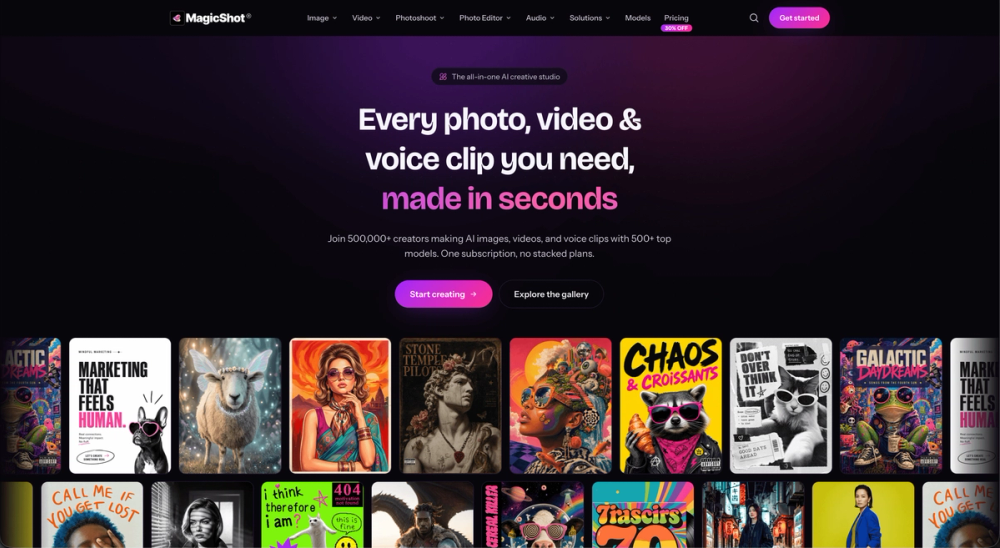
Generate images, video, and audio with 500+ top AI models and 85+ tools under one subscription. No five tabs, no five invoices, one plan covers it.

AIWebiOSPaidProfessional

BatchCrunch is an innovative in-browser media processing tool designed for efficient batch compression, resizing, conversion, and watermarking of video, audio, and image files. Its core unique selling proposition is that nothing is uploaded to a server. All processing occurs directly within your browser using FFmpeg compiled to WebAssembly, leveraging your own machine's processor. This architecture ensures complete privacy, eliminates upload times, removes server size limits, and allows for processing large batches without bandwidth costs.

Key Features and Benefits:

  • Zero Uploads: Files are never sent to a remote server, ensuring privacy and security. Users can even verify this by checking their network panel or disconnecting from the internet after the encoder is cached.
  • In-Browser Processing: The entire encoding and transformation process happens locally, making it fast and independent of server queues or internet speed (after initial load).
  • Batch Operations: Designed specifically for processing entire folders of media files simultaneously. It handles multiple files in one queue, applying consistent transformations across the batch.
  • Comprehensive Media Support: Works with video, audio, and image formats.
  • Wide Range of Transformations:
    • Compression: Reduce file sizes to a quality target.
    • Conversion: Change file formats.
    • Resizing & Cropping: Adjust dimensions, aspect ratios, and crop images/videos.
    • Rotation & Flipping: Orient media as needed.
    • Watermarking: Add text or image watermarks for branding or protection.
    • Consistent Output Naming: Ensures organized output files.
  • Pre- and Post-Processing Previews: Users get an estimated result before processing begins and an on-device preview once it's finished.
  • No Account, No Subscription: The free tier allows processing up to 3 files per batch. A single, one-time payment of $19 unlocks unlimited batches, without any recurring subscription fees.
  • High File Size Limit: Supports individual files up to 200 MB, limited primarily by the browser's memory capacity.

Use Cases:

BatchCrunch is ideal for content creators, photographers, videographers, and anyone needing to quickly and privately process multiple media files without the hassle of uploading them to cloud services. It's perfect for:

  • Preparing large sets of images for web galleries by compressing and resizing them.
  • Standardizing video formats and adding watermarks to multiple clips.
  • Optimizing audio files for various platforms.
  • Users concerned about data privacy who prefer local processing.
  • Anyone looking for a cost-effective solution for batch media processing without recurring subscriptions.

The tool deliberately focuses on batch operations and does not include features like timelines, trimming, or merging, which are typically single-file oriented, ensuring its efficiency and simplicity for its intended purpose.


Featured on ProductFameFeatured on aitoolfame.comFeatured on toolfame.comFeatured on saasfame.comFeatured on directoryfame.comFeatured on findly.toolsFeatured on Startup FameFeatured on Dofollow.ToolsListed on Turbo0Fazier badgeFeatured on Twelve ToolsFeatured on Wired BusinessOpen-Launch Top 2 Daily Winner