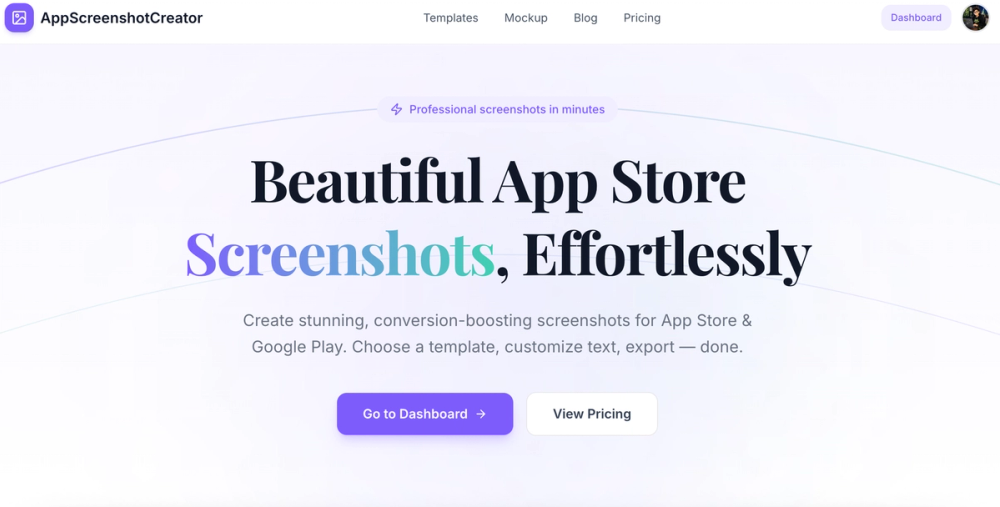
AppScreenshot Creator is a powerful and intuitive online tool designed to help app developers and marketers effortlessly create professional, conversion-boosting screenshots for both the Apple App Store and Google Play Store. It streamlines the process of generating visually appealing app previews, eliminating the need for complex design software or extensive graphic design skills.
The platform offers a comprehensive suite of features to ensure your app stands out. Users can start by choosing from a diverse collection of professionally designed templates, catering to various app categories and aesthetics. These templates provide a solid foundation, allowing for quick application and consistent branding. Customization is a core strength, enabling users to fine-tune every aspect of their screenshots. This includes advanced typography controls, where fonts, sizes, colors, and text alignment can be precisely adjusted to match the app's brand identity and messaging. The tool also supports multi-screenshot projects, allowing users to manage and style multiple app screens within a single project, ensuring a cohesive look across all promotional images. Once satisfied with the design, a one-click export feature allows for downloading high-resolution PNG or JPG files, perfectly optimized and ready for direct submission to app marketplaces.
Beyond screenshot generation, AppScreenshot Creator includes a valuable Free Device Mockup Generator. This standalone tool is perfect for quickly creating realistic device mockups for various purposes, such as social media promotions, investor pitch decks, or internal previews. Users can upload any image and instantly wrap it within a high-fidelity device frame. The mockup generator supports a wide range of modern devices, including iPhone 17 Pro, iPhone 15 Pro, iPad Pro, Pixel 8 Pro, and Galaxy S24 Ultra Android frames. It also offers multiple frame colors and background options, providing flexibility in presentation. A key advantage of this feature is its 100% client-side processing, ensuring user images remain private, and no account is required to use it.
The workflow is designed to be straightforward and efficient, broken down into three simple steps:
- Upload Screenshots: Users simply drag and drop their raw app screenshots into a project. The tool supports various device sizes, including iPhone, iPad, and Android.
- Choose & Customize: Select a preferred template, then personalize headlines, adjust fonts, and modify colors to align with the app's branding.
- Export & Publish: Download the final, high-quality PNG or JPG files, which are immediately ready for submission to the App Store or Google Play.
AppScreenshot Creator operates on a simple, transparent pricing model. A "Free" plan is available for getting started, offering 3 projects, basic templates, single-size export, and PNG format. For users requiring more advanced capabilities, a "Pro" plan is available for a one-time payment of $29, providing lifetime access. The Pro plan includes unlimited projects, access to all premium templates, multi-size export options, both PNG and JPG formats, and priority support. This one-time payment model ensures no recurring subscriptions or hidden fees, making it a cost-effective solution for ongoing app marketing needs.