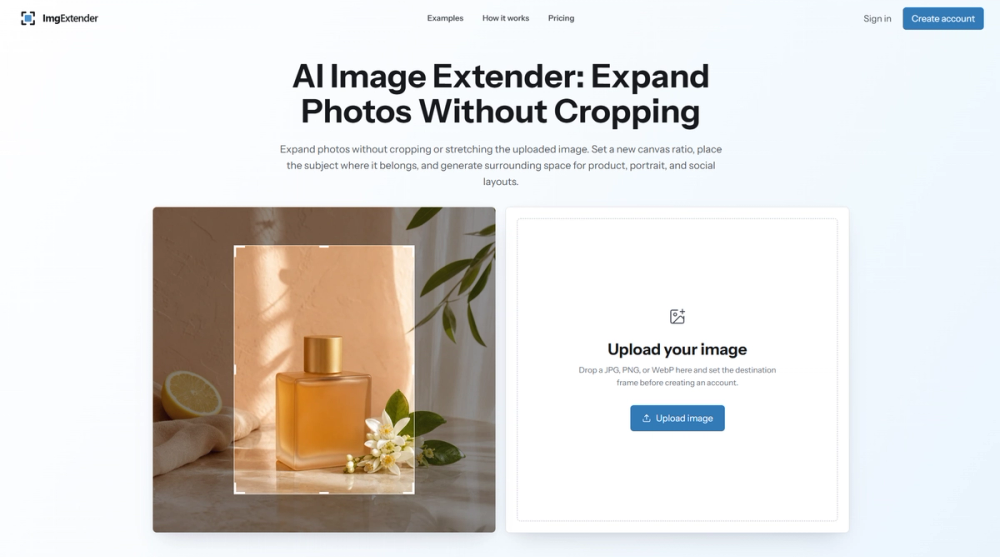
ImgExtender is an AI-powered image extender designed to expand photos without cropping or stretching the original content. It allows users to generate surrounding space for existing images, making them suitable for various layouts such as product listings, social media posts, banners, and editorial frames. The tool leverages advanced AI outpainting technology to intelligently fill in the expanded areas, maintaining visual consistency with the original image.
Key Features:
- AI Outpainting: Generates new, contextually relevant content beyond the original image boundaries.
- Flexible Canvas Ratios: Offers square, portrait, and landscape presets, enabling adaptation for different platforms and purposes.
- Subject Positioning Control: Users can precisely place the original subject within the new canvas before generation, ensuring optimal composition.
- Visible Original Frame: The uploaded image remains visible with a clear boundary, allowing for direct comparison and informed review of the generated space.
- High-Quality Expansion: Aims to seamlessly extend light, surface, and object details, including architectural lines and shadows, while minimizing inconsistencies.
- Support for Multiple Formats: Accepts JPG, PNG, and WebP image files.
- Focused Workflow: Emphasizes a three-step process: upload, choose frame, and review/download, streamlining the image adaptation process.
Use Cases:
- Product Photography: Adapt tight product crops for e-commerce catalogs, storefronts, and advertising campaigns, creating ample background space.
- Portrait Photography: Expand portraits for social media posts (stories, feeds), wide banners, or professional headers without altering the subject's original composition.
- Marketing & Advertising: Generate negative space around subjects for headlines, offers, or presentation copy, giving design elements room to breathe.
- Architecture & Interiors: Extend walls, floors, arches, and shadows to create wider frames for editorial, travel, or real-estate layouts, preserving perspective.
- Content Repurposing: Efficiently resize one image for multiple formats (e.g., square, portrait, landscape) without the need to rebuild the original scene, ensuring consistency across channels.
The tool is ideal for designers, marketers, e-commerce professionals, and content creators who need to quickly adapt images for diverse digital and print requirements. It emphasizes a practical approach, allowing users to compose the destination frame and review the expanded edges before publishing, ensuring the final output meets specific visual standards. While it excels at extending images, users are advised to review generated areas, especially for text, logos, and complex patterns, and note that it focuses on outpainting rather than upscaling. An account is required for generation, but users can compose their draft beforehand.